
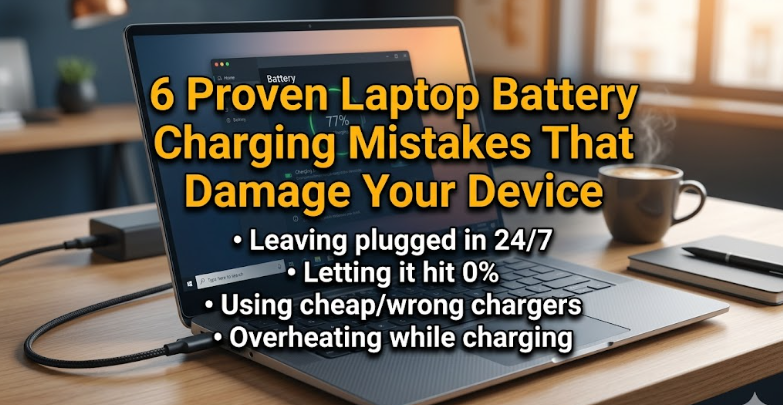
6 proven laptop battery charging mistakes that damage your device
There’s a quiet kind of damage that happens inside laptops. No smoke, no sparks, no dramatic crash—just a slow, almost invisible decline. One day your battery lasts six hours, then four, then barely two. You start carrying your charger everywhere, like a lifeline you didn’t need before. Most people blame “battery age,” but in reality, a lot of that wear is self-inflicted.
Modern laptop batteries are smarter than ever, but they are not indestructible. They rely on lithium-ion chemistry, which has its own quirks, preferences, and limits. Treat it well, and it will last years. Mistreat it—often unintentionally—and it will degrade much faster than expected.
This article is not just a list of mistakes. It’s a closer look at habits, real-life scenarios, and small behavioral changes that make a significant difference. If you’ve ever wondered why your battery health drops faster than your friend’s, the answers are probably hiding in these everyday charging habits.
mistake 1: keeping your laptop plugged in all the time
It feels convenient. You’re at your desk, working or gaming, and your charger is always connected. The battery stays at 100%, and you never have to worry about running out of power.
On the surface, this seems harmless. After all, once the battery reaches full charge, doesn’t the laptop just run on direct power?
Not entirely.
Most laptops do reduce direct charging when full, but they don’t completely isolate the battery. Tiny cycles still occur—charging dips to 99%, then back to 100%. Over time, these micro-cycles add up. More importantly, lithium-ion batteries don’t enjoy sitting at 100% for long periods. High voltage levels put stress on the battery’s internal chemistry.
Imagine holding a balloon fully inflated all the time. It doesn’t burst immediately, but the constant pressure weakens it.
The fix is simple but requires discipline. If you mostly use your laptop plugged in, enable battery conservation modes if your device supports them. Many laptops allow you to cap charging at 80% or 85%. This small change significantly reduces long-term wear.
Another approach is to occasionally unplug and let the battery drop to around 40–60% before charging again. You don’t need to micromanage it, just avoid the “always at 100%” habit.

mistake 2: letting the battery drain to zero regularly
There’s a myth that refuses to die: you should fully drain your battery before charging it again. This advice comes from the era of nickel-based batteries, not modern lithium-ion ones.
Today, deep discharges are one of the quickest ways to degrade a battery.
When your laptop hits 0%, it’s not truly empty—there’s still a tiny reserve to protect the system—but it’s close enough to put stress on the cells. Repeating this frequently accelerates chemical wear and reduces the battery’s capacity over time.
Think of it like running a car until the fuel tank is bone dry every day. It might work for a while, but it’s not healthy.
A healthier range for lithium-ion batteries is between 20% and 80%. Letting it dip below 20% occasionally is fine, but making it a habit shortens its lifespan.
Instead of waiting for the “low battery” panic, try topping up your charge when it reaches around 25–30%. Short, frequent charges are far less harmful than deep cycles.
mistake 3: using the wrong charger or cheap replacements
Not all chargers are created equal. It’s tempting to buy a cheaper alternative when your original charger breaks or gets lost. Some third-party chargers are perfectly safe, but many are not.
Low-quality chargers can deliver inconsistent voltage or current. Even slight irregularities can generate extra heat or cause inefficient charging. Over time, this stresses both the battery and the laptop’s internal power management system.
The danger isn’t always immediate. You might not notice anything wrong at first. But subtle damage accumulates—reduced battery capacity, slower charging, or even swelling in extreme cases.
If you must use a replacement, make sure it matches your laptop’s exact voltage and wattage requirements. Certified chargers from reputable brands are a safer bet than generic, no-name options.
USB-C charging has made things more flexible, but even here, not all adapters deliver the same power levels. Using an underpowered charger can cause the battery to cycle more frequently, which adds wear.
In short, your charger is not just an accessory—it’s part of the battery system. Treat it with the same importance.
mistake 4: exposing your laptop to excessive heat while charging
Heat is the silent killer of batteries.
Charging naturally generates heat, but when combined with external factors—like a hot room, poor ventilation, or heavy usage—the temperature can rise to damaging levels.
Picture this: you’re gaming, rendering videos, or running demanding software while your laptop is plugged in. The CPU and GPU generate heat, and at the same time, the battery is charging. The internal temperature climbs, and the cooling system struggles to keep up.
Lithium-ion batteries degrade much faster at high temperatures. Even a consistent increase of a few degrees can significantly shorten lifespan.
Using your laptop on soft surfaces like beds or couches makes things worse. These surfaces block airflow, trapping heat inside the device.
The solution is practical. Use your laptop on hard, flat surfaces. Ensure proper ventilation. If you’re doing heavy tasks, consider unplugging once the battery reaches a reasonable level instead of charging continuously.
In warmer climates, this becomes even more important. Heat exposure over time is one of the biggest reasons batteries lose capacity prematurely.
mistake 5: ignoring battery calibration and system optimization
While modern batteries don’t need frequent calibration, completely ignoring it can lead to inaccurate readings. You might see your battery drop from 30% to 5% suddenly, or shut down unexpectedly.
This isn’t always a sign of a bad battery—it can be a calibration issue.
Calibration involves occasionally allowing the battery to discharge to a low level and then charging it to full without interruption. This helps the system understand the true capacity of the battery.
However, this should be done sparingly—perhaps once every couple of months—not as a daily habit.
Another overlooked factor is software optimization. Background apps, high brightness, and inefficient power settings drain the battery faster, leading to more frequent charging cycles. More cycles mean more wear.
Take a few minutes to adjust power settings. Lower screen brightness when possible. Close unnecessary applications. These small actions reduce how often you need to charge, indirectly extending battery life.
mistake 6: storing your laptop with a fully charged or empty battery
Storage habits matter more than people think.
If you plan to store your laptop for weeks or months, the battery level at the time of storage makes a big difference.
Storing it at 100% keeps the battery under high voltage stress for extended periods. On the other hand, storing it at 0% can lead to deep discharge, where the battery drops to a level it can’t recover from.
The ideal storage range is around 40–60%. This keeps the battery stable and minimizes chemical degradation.
Also, store the laptop in a cool, dry place. Heat during storage is just as harmful as heat during use.
Many people discover their battery is dead after pulling out a laptop that’s been sitting unused for months. In many cases, it’s not a defect—it’s a storage mistake.

bringing it all together
What makes these mistakes tricky is how normal they feel. None of them seem dangerous in isolation. Plugging in overnight, draining to zero, using a cheaper charger—these are everyday behaviors.
But batteries don’t fail overnight. They degrade through patterns.
If you change just a few of these habits, the difference becomes noticeable over time. Your battery will hold charge longer, degrade more slowly, and remain reliable when you need it most.
It’s not about perfection. You don’t need to obsess over every percentage point. Instead, aim for balance: avoid extremes, reduce heat, and use the right tools.
A well-treated battery won’t just last longer—it will make your entire laptop experience smoother and more dependable.
frequently asked questions
- is it bad to leave my laptop plugged in overnight?
Not immediately harmful, but doing it every night keeps the battery at 100% for long periods, which can accelerate wear. Occasional overnight charging is fine, but try not to make it a constant habit.
- should i always keep my battery between 20% and 80%?
This range is ideal for long-term battery health, but you don’t need to follow it strictly. Think of it as a guideline rather than a rule. Staying within this range most of the time helps reduce stress on the battery.
- how often should i calibrate my laptop battery?
Once every one to three months is enough. Frequent calibration is unnecessary and can actually add extra wear if done too often.
- can using my laptop while charging damage the battery?
Using your laptop while charging is generally safe, but heavy tasks can increase heat. If the device gets too warm, it can contribute to faster battery degradation over time.
- are fast chargers harmful to laptop batteries?
Fast charging itself isn’t harmful if the charger and laptop are designed for it. Problems arise when using incompatible or low-quality chargers that don’t regulate power properly.
- what is the biggest factor that shortens battery life?
Heat is the most significant factor. High temperatures—especially during charging—accelerate chemical aging more than most other habits.
—
In the end, your laptop battery reflects how you use it. Small adjustments don’t feel dramatic, but over months and years, they add up to a noticeable difference. Treat the battery with a bit more awareness, and it will quietly return the favor with longer, more reliable performance.






