
11 Smart Charging Hacks for Longer Laptop Battery Life
Laptop batteries don’t just wear out randomly. In most cases, they slowly degrade because of everyday charging habits that seem harmless but actually shorten their lifespan over time. The good news is that with a few smart charging habits, you can significantly extend battery health and keep your laptop running efficiently for years.
This guide breaks down practical, real-world charging hacks that anyone can apply without technical knowledge.
Hack 1: Avoid keeping your laptop plugged in 100% of the time
One of the most common mistakes people make is treating a laptop like a desktop. Keeping it plugged in all day may feel convenient, but lithium-ion batteries don’t like being held at 100% charge constantly.
When a battery stays fully charged for long periods, it experiences stress at a chemical level. Over time, this reduces its maximum capacity.
A better habit is to unplug once it reaches around 80–90% and let it discharge slightly before charging again.
Hack 2: Don’t let the battery drain to 0%
Just as constant full charge is harmful, letting your laptop die completely is also damaging. Deep discharges put stress on battery cells and reduce their long-term efficiency.
Try to plug in your charger when the battery reaches around 20–30%. This “middle range” is where lithium-ion batteries feel most comfortable and stable.

Hack 3: Use original or certified chargers only
Cheap or fake chargers can deliver unstable voltage. This doesn’t just slow charging; it can also damage the battery over time.
Original chargers are designed specifically for your laptop’s power requirements. They regulate heat, voltage, and current properly.
If you ever replace your charger, always choose certified replacements from trusted brands.
Hack 4: Avoid heat while charging
Heat is one of the biggest enemies of battery life. Charging your laptop on soft surfaces like beds, pillows, or couches can block airflow and trap heat.
High temperature speeds up battery degradation significantly.
To prevent this:
- Always charge on a hard, flat surface
- Keep vents unblocked
- Consider using a cooling pad if you do heavy tasks while charging
Hack 5: Don’t use heavy apps while fast charging
Running games, video editing software, or heavy multitasking while charging increases both heat and power demand at the same time.
This combination stresses the battery unnecessarily.
If possible, let your laptop charge without heavy usage, especially during fast charging periods.
Hack 6: Enable battery optimization settings
Most modern laptops come with built-in battery health tools. These settings automatically limit charging to improve long-term battery life.
For example:
- Windows laptops often have “Battery Saver” or “Battery Health Charging”
- MacBooks have “Optimized Battery Charging”
Turning these features on helps reduce unnecessary full-charge cycles.
Hack 7: Don’t leave your laptop idle at low battery
Leaving your laptop unused at 0% or very low battery for long periods can lead to deep discharge issues. This may even prevent it from charging properly later.
If you’re not using your laptop for a while, store it at around 50–60% charge and power it on occasionally.
Hack 8: Reduce background power drain while charging
Even when plugged in, background apps can force your battery to cycle unnecessarily. This creates micro stress on the battery system.
You can improve this by:
- Closing unused apps
- Disabling startup programs
- Turning off unnecessary browser tabs
- Switching to power-saving mode when charging overnight
This reduces load and keeps charging cycles cleaner.
Hack 9: Avoid overnight charging every day
Occasional overnight charging is not harmful for modern laptops, but doing it daily keeps the battery at high voltage for long durations.
Over time, this can reduce overall battery capacity.
If you must charge overnight:
- Use optimized charging settings
- Ensure ventilation
- Avoid placing the laptop under blankets or soft surfaces
Hack 10: Calibrate your battery occasionally
Battery calibration helps your laptop display accurate charge levels. Without it, the system may misread battery percentage, causing unnecessary charging cycles.
You don’t need to do this often—once every 2–3 months is enough.
Basic method:
- Charge to 100%
- Let it drain to around 5–10%
- Recharge back to full without interruption
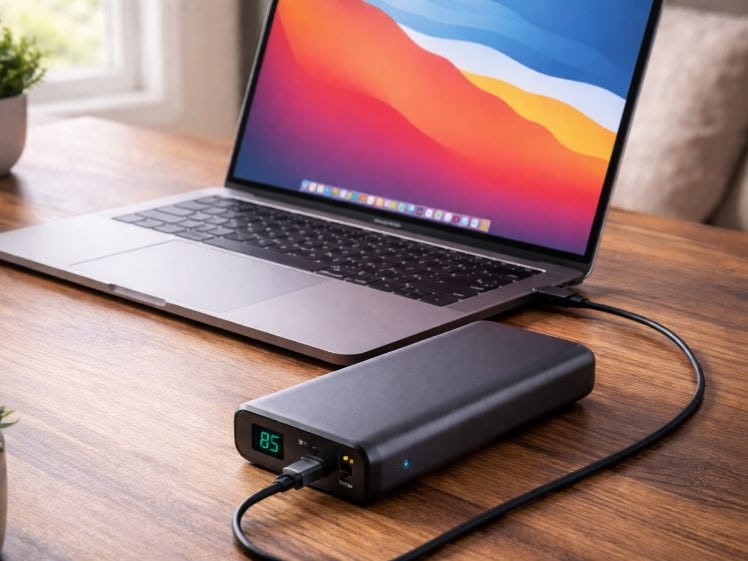
Hack 11: Keep software and firmware updated
Battery performance is not only hardware-based. Manufacturers often release updates that improve power efficiency and charging behavior.
Updating:
- BIOS/UEFI
- System firmware
- Operating system
can improve battery management and even fix hidden power drain issues.
Final thoughts
Laptop battery life is mostly determined by small daily habits rather than big technical fixes. Most people unintentionally reduce battery lifespan through simple mistakes like overheating, overcharging, or constant full cycles.
By applying even a few of these charging hacks, you can noticeably slow down battery degradation and get more usable years out of your device. The goal isn’t to avoid charging—it’s to charge smarter.
FAQs
Q1: Is it bad to use a laptop while charging?
No, but heavy usage during charging can generate heat, which slowly reduces battery health. Light usage is generally fine.
Q2: What is the best percentage to charge my laptop to?
The ideal range is between 20% and 80%. Staying in this range reduces stress on the battery.
Q3: Should I remove the charger when fully charged?
If your laptop supports battery optimization, it’s not necessary. Otherwise, unplugging at 80–90% can help long-term health.
Q4: Does fast charging damage laptop batteries?
Not directly, but it produces more heat. Heat is what contributes to long-term battery wear.
Q5: How long does a laptop battery usually last?
On average, a laptop battery lasts 2–5 years depending on usage, heat exposure, and charging habits.
Q6: Can I keep my laptop plugged in all the time?
You can, but it’s not ideal long-term. Keeping it at 100% constantly may reduce battery lifespan over time.






