
9 Easy Long-Term Laptop Battery Care Habits to Follow
Most people only think about their laptop battery when it starts acting strange—draining too fast, taking longer to charge, or shutting down unexpectedly. By that point, the damage is usually already done. The truth is that laptop batteries don’t suddenly fail; they slowly degrade based on everyday habits.
The good news is that battery health is not something mysterious or uncontrollable. With a few consistent practices, you can extend your laptop battery’s lifespan significantly, sometimes by years. These are not complicated tricks or technical adjustments. They are simple habits that fit naturally into daily use.
This guide breaks down nine long-term habits that genuinely help preserve battery health without requiring you to change how you work in a drastic way.
- Avoid keeping your laptop at 100% all the time
One of the most common misconceptions is that leaving a laptop plugged in constantly is harmless. In reality, lithium-ion batteries prefer not to stay at full charge for long periods.
When a battery sits at 100% for hours or days, it stays under high voltage stress. Over time, this gradually reduces its maximum capacity. Think of it like keeping a rubber band fully stretched all the time—it loses elasticity faster.
A healthier approach is to keep your charge level between 40% and 80% when possible. Many modern laptops even include “battery conservation modes” that automatically stop charging at around 80%.
If you mostly use your laptop plugged in, enabling such a mode is one of the easiest long-term improvements you can make.
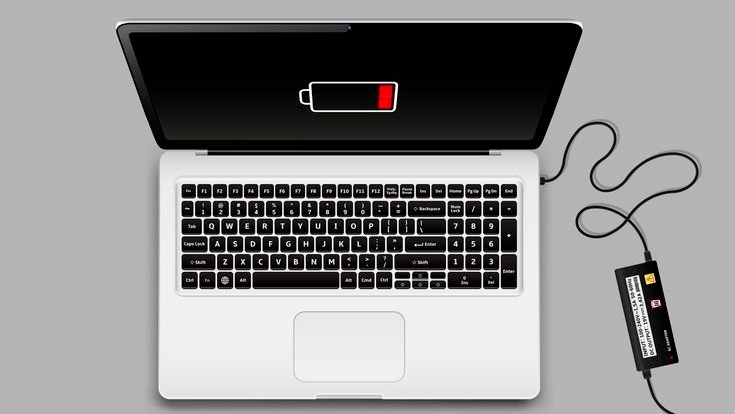
- Don’t let the battery drop to zero frequently
On the other end of the spectrum, regularly draining your battery to 0% is equally harmful. Deep discharges place unnecessary strain on lithium-ion cells.
Occasional full drains are not catastrophic, but making it a habit can shorten battery lifespan noticeably.
A good rule of thumb is to plug in your charger when your battery reaches around 20–30%. This keeps the battery in a safer operating range and reduces stress cycles.
- Keep your laptop cool whenever possible
Heat is one of the biggest enemies of battery health. High temperatures speed up chemical degradation inside the battery cells.
You might not notice it, but running heavy applications like video editing software, games, or even multiple browser tabs can generate significant heat.
To reduce thermal stress:
- Use your laptop on hard surfaces, not beds or sofas
- Ensure ventilation vents are not blocked
- Clean dust from fans periodically
- Consider using a cooling pad for heavy workloads
Even charging your laptop while it’s overheating can accelerate battery wear, so temperature management is just as important as charging habits.
- Avoid using your laptop while it is overheating and charging
Using a laptop while it is plugged in is not bad by itself. The problem arises when both charging and heavy usage happen at the same time, creating extra heat.
For example, gaming while charging or rendering videos while plugged in can push internal temperatures higher than normal. This combination is one of the fastest ways to degrade battery health over time.
If you must do heavy tasks, ensure proper cooling and airflow. In some cases, it is even better to pause charging briefly during extreme workloads if your device allows intelligent power switching.
- Use original or high-quality chargers only
Not all chargers are equal. Cheap or unverified chargers may deliver unstable voltage or inconsistent current. This doesn’t just affect charging speed—it can also stress the battery and internal circuitry.
Original chargers are designed specifically for your laptop’s power requirements. If you must replace one, always choose certified or manufacturer-approved alternatives.
It may seem like a small detail, but poor charging equipment is a silent contributor to long-term battery decline.
- Avoid leaving your laptop unused for long periods
Batteries don’t like inactivity either. If you leave a laptop unused for weeks or months, the battery can slowly discharge to critically low levels, which may damage its cells permanently.
If you plan to store your laptop:
- Charge it to around 50%
- Power it off completely
- Store it in a cool, dry place
- Check and recharge it every few weeks
This prevents deep discharge damage during long idle periods.
- Reduce unnecessary background power usage
Sometimes battery drain is not about hardware but about software.
Background apps, startup programs, and unnecessary services can silently consume power even when you’re not actively using them.
Simple adjustments can help:
- Disable startup apps you don’t need
- Close unused browser tabs
- Use battery saver modes when on the go
- Lower screen brightness when possible
These habits reduce charge cycles, indirectly extending battery lifespan over time.
- Don’t keep your laptop plugged in 24/7 without reason
Modern laptops are smarter than older ones and can stop charging when full, but they still operate under constant high voltage stress when plugged in continuously.
If you use your laptop as a desktop replacement, it is better to occasionally unplug and let the battery discharge slightly before charging again.
A balanced cycle keeps the battery chemically active, which helps maintain long-term health.
Even a simple routine like unplugging once a day for an hour can make a difference.

- Keep your software and battery drivers updated
Battery performance is not only hardware-dependent. Operating systems often include power management improvements that optimize charging behavior, sleep modes, and background consumption.
Outdated drivers or firmware can cause inefficient charging cycles or incorrect battery readings.
Make it a habit to:
- Keep your operating system updated
- Update chipset and power management drivers
- Check manufacturer utilities for battery optimization tools
These updates often include subtle improvements that extend battery life without you noticing directly.
Final thoughts
Laptop battery care is not about extreme restrictions or complicated routines. It is about consistency. Small habits—like avoiding heat, managing charge levels, and using proper equipment—accumulate into significantly longer battery lifespan.
Most users only realize the importance of these habits after battery performance drops. But applying them early means your laptop stays reliable for years longer than average.
Think of battery care as long-term maintenance rather than daily effort. Once these habits become automatic, you barely notice them—but your laptop certainly benefits from them.
FAQs
- Is it bad to keep a laptop plugged in all the time?
Not immediately, but long-term constant charging can keep the battery under high voltage stress, which may reduce overall lifespan. - What is the ideal battery percentage range for long life?
Keeping it between 40% and 80% is generally considered optimal for long-term health. - Does overnight charging damage a laptop battery?
Modern laptops stop charging at 100%, but staying at full charge for long periods can still contribute to gradual wear. - Should I fully discharge my battery occasionally?
Occasional full discharges are fine, but doing it frequently is harmful to lithium-ion batteries. - Does using a laptop while charging reduce battery life?
Not directly, but it increases heat, and heat is a major factor in battery degradation. - How long should a laptop battery normally last?
On average, 2–4 years depending on usage habits, charging patterns, and temperature exposure.






