

6 Ultimate Smart Charging Rules for Laptop Battery Care
Laptop batteries have quietly become one of the most important parts of modern digital life. Whether you are a student attending online classes, a freelancer working remotely, or a gamer pushing your machine to its limits, battery health directly affects performance and convenience. Yet, most users unknowingly shorten their battery lifespan through simple daily habits.
Smart charging is not about complicated techniques or expensive tools. It is about understanding how lithium-ion batteries behave and adjusting your routine in small, practical ways. The goal is not just to “use your laptop,” but to keep it healthy for as long as possible.
Below are six ultimate smart charging rules that can significantly improve your laptop battery life if followed consistently.
rule 1: avoid keeping your battery at 100% all the time
One of the most common habits people have is leaving their laptop plugged in all day. While it may seem harmless, constantly keeping the battery at 100% creates long-term stress on lithium-ion cells.
These batteries are designed to operate best between certain charge levels, not at maximum capacity all the time. When a battery stays fully charged for long periods, internal chemical stress increases, which gradually reduces overall capacity.
A smarter approach is to keep your battery level between 40% and 80% whenever possible. Many modern laptops now include “battery limit” or “optimized charging” features that automatically manage this range. If your device has this option, enabling it is one of the easiest improvements you can make.
Even unplugging your charger occasionally during use can make a noticeable difference over months and years.
rule 2: avoid letting the battery drop to 0% frequently
Just as keeping your battery at 100% is harmful, letting it fully drain to 0% on a regular basis is equally damaging.
Lithium-ion batteries are not designed for deep discharge cycles. When the battery drops to zero frequently, it forces the cells into a stressed state, which can reduce their ability to hold charge over time.
A better habit is to plug in your charger when the battery reaches around 20% to 30%. This range is considered a safe “comfort zone” for battery longevity.
Occasional full discharge is not dangerous, but making it a routine behavior will slowly degrade performance. Think of your battery like a rubber band: stretching it to extremes too often reduces its elasticity.

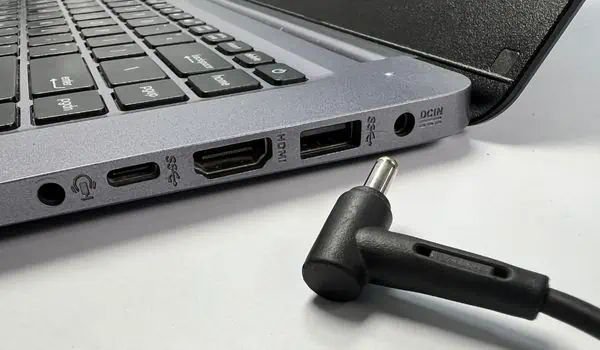
rule 3: use the original or certified charger only
Not all chargers are created equal. One of the most overlooked causes of battery damage is using cheap or incompatible charging adapters.
Original chargers are designed specifically for your laptop’s voltage and power requirements. They regulate current flow properly and protect the battery from overheating or irregular charging cycles.
Low-quality chargers, on the other hand, may deliver unstable current, which can lead to excessive heat buildup or inconsistent charging patterns. Over time, this can seriously affect battery health and even damage internal components.
If your original charger is lost or damaged, always replace it with a certified or manufacturer-approved alternative. Saving a small amount of money on a cheap charger can cost much more in battery replacement later.
rule 4: manage heat while charging
Heat is one of the biggest enemies of laptop batteries. Even more than charging habits, temperature plays a crucial role in battery lifespan.
When a laptop heats up during charging, chemical reactions inside the battery speed up. This may sound harmless, but it actually accelerates wear and reduces long-term capacity.
To reduce heat-related damage, follow a few simple practices:
- Avoid placing your laptop on soft surfaces like beds or pillows while charging
- Ensure proper ventilation around the laptop’s cooling vents
- Do not run heavy applications like gaming or video editing while fast charging if your system heats up quickly
- Consider using a cooling pad if you frequently work for long hours
Keeping your device cool during charging is one of the most effective long-term battery protection strategies.
rule 5: avoid constant plug-in usage without breaks
Many users treat their laptop like a desktop replacement and keep it plugged in continuously. While modern laptops are smart enough to stop overcharging, staying plugged in 24/7 still reduces battery activity.
A battery that is always at full charge and rarely used can slowly lose its calibration and efficiency over time.
A healthier routine is to allow your laptop to discharge naturally once or twice a week. You don’t need to fully drain it—just unplug it and use it on battery power until it reaches a moderate level (around 40–60%) before plugging it back in.
This helps keep the battery “active” and balanced.
rule 6: enable smart charging or battery optimization features
Most modern laptops come with built-in battery management tools. These features are often ignored, but they are extremely useful for long-term care.
Depending on your brand, these features may be called:
- Battery Conservation Mode
- Optimized Charging
- Adaptive Battery Charging
- Battery Health Mode
These systems automatically adjust charging patterns based on your usage behavior. For example, if you usually keep your laptop plugged in overnight, the system may slow down charging above 80% and complete it just before you wake up.
This reduces time spent at full charge and significantly improves battery lifespan.
If your laptop supports such features, enabling them is one of the easiest “set and forget” improvements available.
bonus insight: understanding charging cycles
A charging cycle does not mean charging once from 0% to 100%. Instead, it refers to the total usage of 100% battery over time.
For example:
- Using 50% today and 50% tomorrow equals one full cycle
Laptop batteries are typically rated for a limited number of cycles. The slower you consume these cycles, the longer your battery lasts overall.
Smart charging habits are essentially about slowing down cycle consumption and reducing stress per cycle.
long-term impact of smart charging habits
If you consistently follow these six rules, you may notice:
- Slower battery drain over time
- Reduced overheating issues
- More stable charging behavior
- Longer overall battery lifespan (sometimes 1–3 extra years depending on usage)
Battery health is not about one big change—it is about small habits repeated daily.
Most battery damage does not happen suddenly. It builds up quietly through heat, overcharging, deep discharging, and poor charging equipment.
conclusion
Smart charging is less about technology and more about awareness. Once you understand how your laptop battery behaves, you naturally begin to treat it better.
You don’t need to obsess over percentages every minute. Instead, focus on balance: avoid extremes, reduce heat, use proper chargers, and rely on built-in optimization tools.
With these simple habits, your laptop battery can remain strong, stable, and reliable for a much longer time than average users experience.
frequently asked questions (FAQs)
Q1: Is it bad to leave my laptop charging overnight?
No, modern laptops stop overcharging, but staying at 100% for long periods can still create battery stress over time. Using battery optimization features is recommended.
Q2: What is the ideal battery percentage range for daily use?
The healthiest range is generally between 40% and 80% for long-term battery care.
Q3: Should I remove the charger when the battery is full?
It is not necessary, but it can help reduce time spent at 100%, which is beneficial for long-term battery health.
Q4: Does fast charging damage laptop batteries?
Fast charging itself is not harmful if properly managed, but it can generate more heat, which is the real concern.
Q5: How often should I fully discharge my laptop battery?
Rarely. Full discharges should be avoided in normal use. Once every few months for calibration is enough if needed.
Q6: Can battery health be restored once it declines?
Not completely. You can improve performance slightly with calibration and good habits, but physical wear on lithium-ion batteries cannot be reversed.






