

4 Fast Laptop Battery Care Fixes That Really Help
It usually starts the same way. You’re working, watching something, or halfway through an important task, and suddenly the battery percentage drops faster than it should. At first, you ignore it. Then it happens again. And before long, you’re glued to the charger like it’s life support.
Laptop batteries don’t fail overnight. They wear down gradually, shaped by habits most people don’t even notice. The good news is that you don’t need technical expertise, expensive tools, or complicated routines to fix most of these issues. A few fast, intentional changes can make a noticeable difference—not just in how long your battery lasts today, but in how well it holds up months from now.
This isn’t about theory. It’s about simple actions that actually work in real-life situations.
fix one: stop charging to 100% all the time
It sounds strange at first because we’ve been conditioned to think “full battery equals better.” But lithium-ion batteries—the kind used in almost every modern laptop—don’t love being at 100% all the time. In fact, keeping your battery constantly topped off puts it under stress.
Think of it like stretching a rubber band and holding it there. It doesn’t snap immediately, but it weakens over time.
What actually helps is keeping your battery between roughly 20% and 80%. That range reduces strain on the battery’s chemistry and slows down wear.
Now, this doesn’t mean you should panic if you charge to 100% occasionally. That’s fine. The problem is when it becomes your default habit—plugging in overnight every night, or keeping the laptop constantly connected even when it doesn’t need to be.
A quick fix you can apply today:
Unplug your laptop once it hits around 80–90%. If your device has a battery health mode (many do), turn it on. These modes automatically limit charging to safer levels.
Real-life example:
Someone working from home keeps their laptop plugged in 24/7. Within a year, their battery capacity drops noticeably. Another person uses the same model but cycles between 30% and 80% daily. After the same period, their battery holds charge far better.
It’s not luck. It’s usage patterns.
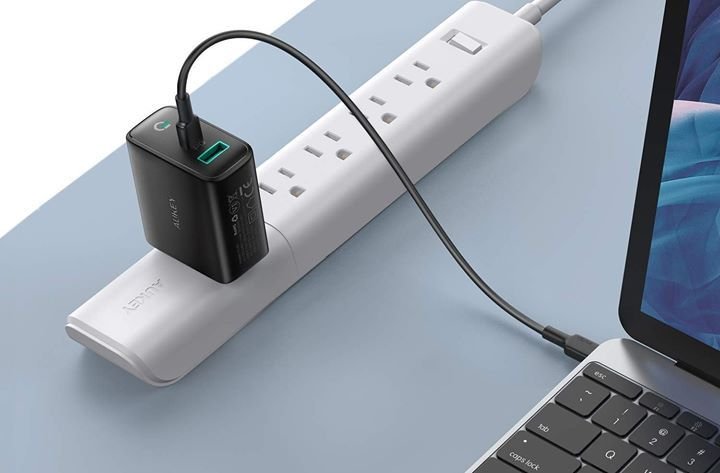
fix two: reduce background drain you didn’t know existed
Most people blame their battery when it drains quickly, but often the real issue is hidden activity. Background apps, auto-sync services, startup programs—these quietly eat power without you realizing it.
It’s like leaving multiple taps running in your house. You don’t notice immediately, but over time, the waste adds up.
Here’s the fast fix:
Open your system’s task manager or activity monitor and check what’s running. You’ll probably find apps you forgot about—cloud services syncing constantly, browser tabs consuming memory, or software launching at startup for no reason.
What to do:
Disable unnecessary startup programs
Close apps you’re not using
Limit browser tabs (yes, they matter more than you think)
Turn off background syncing for apps you rarely need
A small adjustment here can lead to a surprisingly big improvement.
A practical scenario:
You’re working with just a document open, but your battery still drains quickly. Behind the scenes, a browser with 20 tabs, a messaging app, and a cloud backup tool are all running. Once you shut those down, battery life stabilizes almost instantly.
This isn’t about cutting everything. It’s about removing what doesn’t serve you in that moment.
fix three: manage heat before it manages your battery
Heat is one of the fastest ways to degrade a laptop battery. And the tricky part is, it doesn’t always feel dramatic. Your laptop might just feel “a bit warm,” but inside, the battery is under stress.
Batteries prefer cool, stable environments. Excess heat accelerates chemical aging, reducing capacity faster than normal use ever would.
Where heat comes from:
Using your laptop on soft surfaces like beds or couches
Blocked air vents
Heavy applications like gaming or video editing
High ambient temperatures
The quick fix:
Use your laptop on a hard, flat surface
Keep air vents clear
Avoid using it on blankets or pillows
Give it breaks during heavy tasks
If you want to go a step further, a cooling pad can help, but it’s not essential. What matters most is airflow.
A relatable situation:
You’re watching videos with your laptop on a bed. It feels comfortable, but the fabric blocks ventilation. The system heats up slowly, and over time, the battery suffers. Switching to a desk or even placing a book underneath to create airflow can make a noticeable difference.
Heat damage isn’t immediate, which is why people underestimate it. But it’s one of the most important factors in long-term battery health.
fix four: adjust display and power settings intelligently
Your screen is one of the biggest power consumers in your laptop. Yet many people leave brightness at maximum without thinking twice.
This is one of the fastest fixes you can apply because the results are immediate.
Start with brightness:
Lower it to a comfortable level instead of maximum. Even a small reduction can extend battery life significantly.
Then look at power settings:
Most laptops offer power modes like “balanced,” “power saver,” or “high performance.” If you’re doing light tasks like browsing or writing, there’s no need to run in high-performance mode.
Quick adjustments:
Reduce screen brightness
Set display to turn off sooner when idle
Use battery saver mode when unplugged
Disable keyboard backlighting if unnecessary
A simple comparison:
Two people use identical laptops. One runs max brightness, high performance mode, and keeps the screen on constantly. The other lowers brightness slightly and uses balanced mode. The second person consistently gets longer battery life without sacrificing usability.
It’s not about making your laptop uncomfortable to use. It’s about removing excess.

bringing it all together
None of these fixes are complicated. That’s the point.
Battery care isn’t about one big action. It’s about small, consistent habits that add up. Charging patterns, background usage, heat management, and power settings—each one plays a role.
What makes these fixes effective is that they’re practical. You don’t need to change how you use your laptop completely. You just need to tweak how you manage it.
And once these habits become automatic, you stop thinking about them. Your battery simply lasts longer, performs better, and ages more slowly.
A quiet shift happens—you move from reacting to battery problems to preventing them.
common mistakes to avoid
Even with the right fixes, a few habits can quietly undo your progress.
Keeping your laptop plugged in all the time without need
Ignoring system updates (they often include power optimizations)
Letting the battery drop to 0% regularly
Using cheap or incompatible chargers
Running too many heavy apps at once without breaks
These don’t seem harmful individually, but together, they accelerate wear.
awareness matters more than perfection
You don’t need to follow every rule perfectly. That’s unrealistic. What matters is awareness.
If you understand what affects your battery, you naturally make better decisions. You unplug when it makes sense. You close apps you don’t need. You avoid heat when possible.
It’s not about strict discipline. It’s about smart habits.
And over time, those habits make a real difference.
frequently asked questions
- Is it bad to leave my laptop plugged in overnight?
Not occasionally. But doing it every night can stress the battery over time. It’s better to unplug once it reaches a high charge level if possible. - Should I always keep my battery between 20% and 80%?
That’s the ideal range for long-term health, but you don’t have to follow it strictly all the time. Think of it as a guideline rather than a rule. - Does lowering brightness really help that much?
Yes, more than most people expect. The display is a major power consumer, so even small reductions can extend battery life. - How do I know if an app is draining my battery?
Check your system’s task manager or battery usage settings. They usually show which apps consume the most power. - Is heat really that harmful to batteries?
Yes. Excess heat speeds up battery degradation significantly. Keeping your laptop cool is one of the most effective ways to protect it. - Do I need a cooling pad for better battery health?
Not necessarily. Good airflow and proper usage habits are often enough. A cooling pad can help, but it’s optional.
In the end, laptop battery care isn’t complicated. It’s just overlooked. The fixes are simple, the impact is real, and once you start paying attention, you’ll notice the difference almost immediately.






