
10 Proven Smart Charging Habits That Save Battery Life
Battery life has quietly become one of the most important parts of our daily digital experience. Whether it’s a laptop used for work, study, or entertainment, or even mobile devices, the way we charge them directly affects how long they stay useful over time. Many people don’t realize that most battery damage doesn’t happen suddenly—it builds up slowly through small, repeated habits.
The good news is that improving battery life doesn’t require technical knowledge. It simply requires awareness and a few smart charging habits that anyone can adopt. Below are ten proven habits that can significantly extend your battery’s health and performance.
- Avoid keeping your battery at 100% all the time
One of the most common misconceptions is that keeping a device fully charged is always good. In reality, lithium-ion batteries experience stress when they remain at full charge for long periods.
When your battery stays at 100% constantly—especially while plugged in—it creates extra heat and chemical stress inside the cells. Over time, this reduces overall capacity.
A smarter approach is to keep your battery level between 20% and 80% whenever possible. This range is often considered the “comfort zone” for lithium-ion batteries, helping slow down wear and tear.
Even modern laptops that manage charging automatically still benefit from occasional unplugging.
- Don’t let your battery drop to 0%
Letting your battery drain completely might feel harmless, but it actually puts strain on the internal chemistry. Deep discharges force the battery to work harder when it restarts charging.
Occasional full discharge is not dangerous, but making it a habit can shorten battery lifespan significantly.
A practical rule is simple: plug in your device when it reaches around 20–25%. This prevents unnecessary stress and helps maintain stable performance over time.
- Avoid overheating during charging
Heat is one of the biggest enemies of battery health. When a device heats up during charging, internal chemical reactions speed up and degrade battery capacity faster.
Common causes of overheating include:
- Charging while using heavy applications (gaming, video editing)
- Keeping the device on soft surfaces like beds or sofas
- Using low-quality or incompatible chargers
- Charging under direct sunlight
To reduce heat, always place your device on a hard surface while charging. If possible, let it charge without heavy usage. Even small reductions in temperature can make a noticeable difference in long-term battery health.
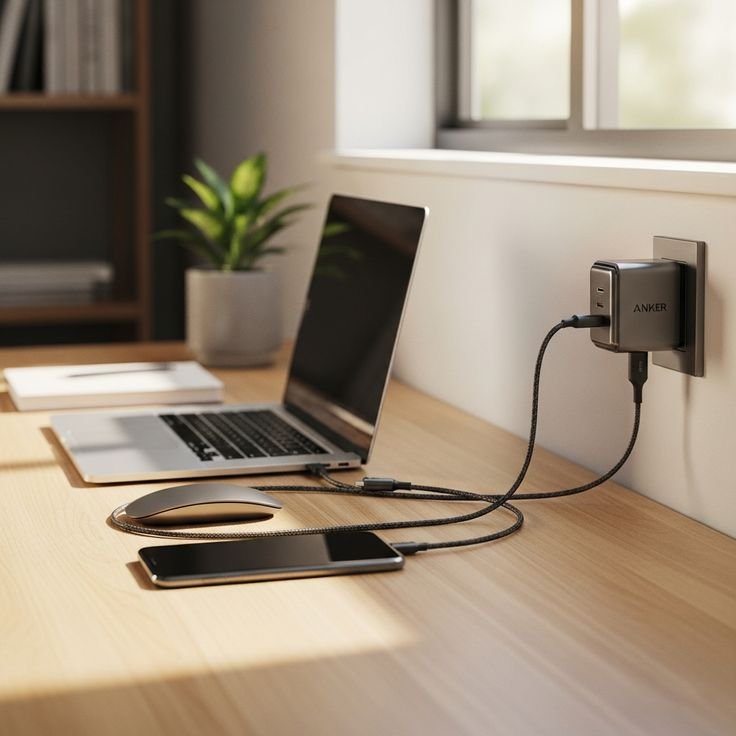
- Use the original charger or certified alternatives
Not all chargers deliver power in the same way. Cheap or unverified chargers often supply unstable voltage, which can damage battery cells over time.
Original chargers are designed specifically for your device’s power requirements. They regulate voltage, temperature, and current properly.
If you must use an alternative charger, ensure it is certified and matches your device’s specifications. It’s a small investment that protects your battery from long-term harm.
- Don’t keep your laptop plugged in all the time
Many users treat laptops like desktop computers, leaving them plugged in for days or weeks. While modern laptops have charging protection systems, constant plugging still keeps the battery in a high-stress state.
When a battery remains fully charged while plugged in, it stays under constant voltage pressure. Over time, this reduces its ability to hold charge efficiently.
A better habit is to occasionally use your laptop on battery power and allow it to discharge naturally before plugging it back in. Some laptops even include “battery health mode” or “charge limit settings” that can help manage this automatically.
- Charge in shorter sessions instead of long continuous charging
Instead of charging from very low levels to full in one long session every time, it’s healthier to top up your battery in smaller intervals.
Short charging cycles reduce heat buildup and stress. For example, charging from 40% to 80% is much gentler on the battery than going from 5% to 100%.
This habit also fits naturally into daily routines. Plugging in during breaks or short work sessions helps maintain a stable battery level without extreme fluctuations.
- Avoid using your device heavily while charging
Using your device while it is charging creates a situation where energy is going in and out at the same time. This increases internal temperature and slows down charging efficiency.
Activities like gaming, video rendering, or running multiple heavy applications are especially stressful.
If you need to charge quickly, it’s better to let the device rest. Even simple actions like closing unused apps can reduce load and improve charging speed and safety.
- Keep your software and battery drivers updated
Battery management is not only hardware-based. Modern devices rely heavily on software optimization to manage power usage efficiently.
Operating system updates often include improvements for:
- Charging efficiency
- Battery calibration
- Background power management
- Thermal control
Ignoring updates can mean missing out on important battery-saving improvements. Keeping your system updated ensures your device is using the most efficient charging and power management methods available.
- Store your device properly when not in use
If you are not going to use your laptop or device for a long time, storage conditions matter more than most people realize.
The ideal storage level for batteries is around 50%. Storing a device at full charge or empty charge for long periods can damage battery cells.
Also, the environment matters. Keep devices in cool, dry places. High heat or humidity can slowly degrade battery performance even when the device is turned off.
- Restart your device occasionally to reset power cycles
While not directly a charging habit, restarting your device helps reset background processes that may drain battery unnecessarily.
Over time, apps and system processes can misbehave and consume more power than needed. A simple restart clears temporary glitches and helps recalibrate battery usage patterns.
Doing this once every few days can indirectly improve battery efficiency and charging behavior.
Final thoughts
Battery care is not about one big action—it’s about small consistent habits. Most battery damage happens slowly, through repeated exposure to heat, overcharging, deep discharging, and poor charging routines.
By applying even a few of the habits above, you can noticeably extend your device’s battery life and reduce performance decline over time. The key is consistency rather than perfection.
Good charging habits don’t just preserve battery health—they also keep your device running more smoothly in daily use.
FAQs
- What is the best percentage to charge a laptop battery?
The ideal range is usually between 20% and 80%. Staying within this range reduces stress on lithium-ion batteries and helps extend overall lifespan. - Is it bad to leave a laptop charging overnight?
Occasionally, it’s not harmful for modern devices, but doing it regularly can generate heat and keep the battery under constant stress, which may reduce long-term capacity. - Should I use my laptop while it is charging?
It is safe, but heavy usage like gaming or editing while charging increases heat, which can affect battery health over time. - How often should I fully discharge my battery?
You don’t need to fully discharge it regularly. In fact, doing so frequently is not recommended. Occasional calibration once every few months is enough if needed. - Does fast charging damage the battery?
Fast charging is designed to be safe for modern devices, but it can generate more heat. Managing temperature is the key factor in protecting battery health. - What is the biggest enemy of battery life?
Heat is the biggest factor that reduces battery lifespan. Keeping your device cool during charging and usage is one of the most effective ways to protect it.






