
10 Common Laptop Battery Charging Mistakes You Must Avoid
There’s a quiet kind of frustration that comes with a laptop battery that just doesn’t last anymore. It sneaks up slowly. At first, you notice the battery dropping faster than usual. Then one day, you’re glued to a charger like it’s life support. Most people assume it’s just “age,” something inevitable. But in many cases, the real cause is far more preventable: everyday charging habits that slowly wear the battery down.
This isn’t just about technical knowledge. It’s about the small decisions made daily—where you plug in, how long you charge, whether you pay attention to heat, or ignore it completely. These details may seem trivial, but over time, they shape the health and lifespan of your laptop battery.
Let’s walk through ten common mistakes people make, not as a checklist, but as a set of habits you can recognize in your own routine—and quietly correct before they cost you.
- keeping your laptop plugged in all the time
There’s a certain comfort in always having your laptop connected to power. It feels efficient. Why worry about battery life when you can stay at 100% constantly?
But lithium-ion batteries, which power most laptops today, don’t actually enjoy living at full charge indefinitely. Staying at 100% for extended periods puts the battery under stress. Think of it like keeping a muscle permanently tensed—it eventually tires out.
A healthier pattern is to let the battery cycle a bit. Keeping it between roughly 20% and 80% is often considered ideal. Some modern laptops even offer battery optimization modes that cap charging at 80% to reduce long-term wear.
If your laptop rarely leaves your desk, it might feel counterintuitive to unplug it occasionally—but doing so can quietly extend its life.
- letting the battery drain to zero too often
Many people still follow an old rule: “Let the battery die completely before charging.” This made sense years ago with older battery technologies. Today, it does more harm than good.
Deep discharges—when your battery drops close to 0%—put strain on lithium-ion cells. Doing it occasionally isn’t catastrophic, but making it a habit accelerates degradation.
Instead, think of your battery like a reservoir that prefers shallow dips rather than complete emptiness. Charging when it reaches around 20–30% is a much gentler approach.
There’s a difference between recalibrating a battery once in a while and draining it daily. The former is occasional maintenance; the latter is slow damage.

- ignoring heat buildup while charging
Heat is one of the most underestimated enemies of battery health. It doesn’t announce itself loudly, but it quietly chips away at performance.
Charging naturally generates heat. Now combine that with a laptop sitting on a soft surface like a bed, blanket, or even your lap. Airflow gets restricted, and temperature rises.
Over time, this repeated exposure to heat can reduce battery capacity significantly.
A simple habit change—placing your laptop on a hard, flat surface—can make a noticeable difference. If you do heavy tasks like gaming or video editing while charging, consider using a cooling pad or at least ensuring proper ventilation.
Heat isn’t dramatic. It’s subtle. That’s why it’s so easy to ignore—and so costly to overlook.
- using low-quality or incompatible chargers
It’s tempting to grab a cheaper charger when the original one gets damaged or lost. After all, if it fits and charges, it should be fine… right?
Not always.
Chargers differ in voltage regulation, current stability, and overall build quality. A poorly designed charger can deliver inconsistent power, leading to inefficient charging or even long-term battery stress.
This doesn’t mean you must always buy the most expensive option, but compatibility matters. Using certified or manufacturer-approved chargers ensures your laptop receives the right kind of power.
Electricity isn’t just about “on” or “off.” The quality of that flow matters more than most people realize.
- charging overnight every single day without optimization
Plugging in your laptop overnight is convenient. You wake up to a fully charged device, ready to go.
But here’s the catch: once your battery reaches 100%, it doesn’t just stop interacting with the charger. Many systems continue topping it up, creating tiny charge cycles that accumulate over time.
Modern laptops try to manage this with smart charging features, but not all systems are equally efficient.
If your device has an option like “battery health mode” or “optimized charging,” it’s worth enabling. Otherwise, consider unplugging once it’s fully charged, at least occasionally.
Convenience is valuable—but it often comes with hidden trade-offs.
- exposing the laptop to extreme temperatures
Leaving your laptop in a hot car. Using it in direct sunlight. Charging it in a freezing room.
These situations might seem harmless in the moment, but batteries are sensitive to temperature extremes. High heat accelerates chemical aging, while cold conditions can temporarily reduce performance and even cause charging issues.
Ideally, laptops should be used and charged within a moderate temperature range—neither too hot nor too cold.
This isn’t about perfection. It’s about awareness. If your laptop feels unusually hot or cold, it’s worth pausing and letting it stabilize before charging.
- constantly fast charging without necessity
Fast charging is a modern convenience that many users rely on. It’s efficient, quick, and often necessary in busy schedules.
However, faster charging typically generates more heat and stress compared to slower charging methods.
Using fast charging occasionally is fine. Relying on it constantly, especially when there’s no urgency, can contribute to gradual wear.
If your laptop or charger supports different charging speeds, using standard charging when time allows can be a small but meaningful adjustment.
Speed is useful. But consistency often wins when it comes to longevity.
- ignoring battery calibration entirely
While deep discharges shouldn’t be frequent, completely avoiding calibration isn’t ideal either.
Over time, your laptop’s battery indicator can become inaccurate. It might show 30% when it’s actually lower, or shut down unexpectedly.
Calibration—occasionally letting the battery drain and then charging it fully—helps realign the system’s understanding of battery levels.
This doesn’t need to be done often. Once every couple of months is usually enough. The key is balance: not too frequent, not completely ignored.
It’s less about the battery itself and more about the accuracy of the system managing it.
- running heavy tasks while charging without consideration
Charging your laptop while running demanding applications—like gaming, video rendering, or large data processing—creates a double load.
The system generates heat from performance tasks while also heating up due to charging. This combination can push temperatures higher than either activity alone.
Occasionally, this is unavoidable. But making it a constant habit can wear down both the battery and internal components.
If possible, allow your laptop to cool down between intensive sessions and charging. Even small breaks can help regulate temperature and reduce long-term strain.
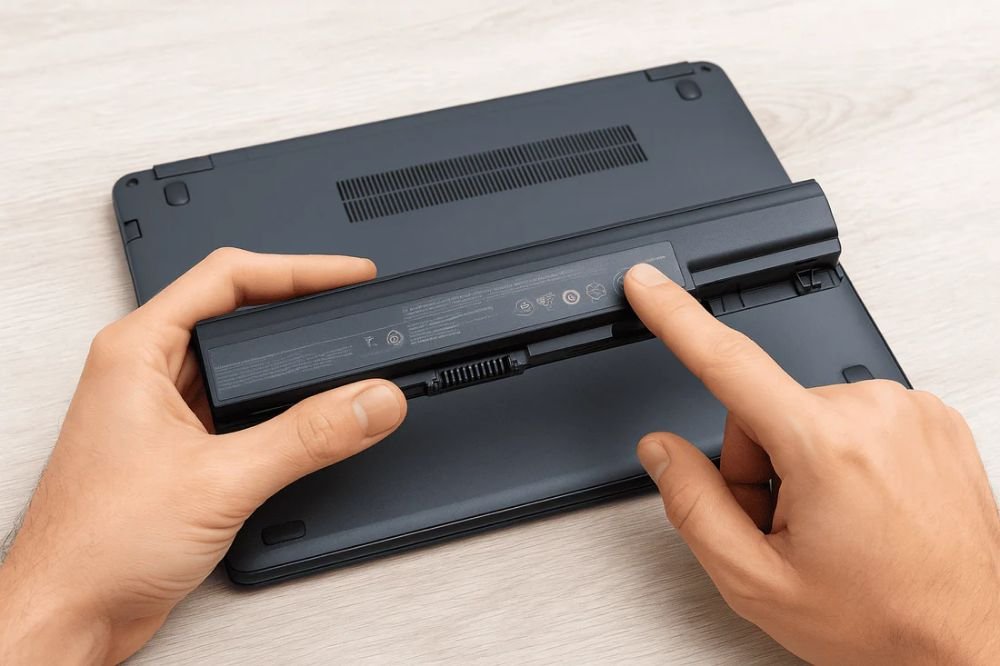
- assuming battery replacement is the only solution
When battery performance drops, many people immediately think of replacement. While sometimes necessary, it’s often a last step rather than the first.
In many cases, improving charging habits can stabilize performance or slow further decline.
Battery health isn’t just about hardware—it’s about behavior. Small changes, consistently applied, can extend usability far beyond what most users expect.
Before replacing the battery, it’s worth asking: “What habits got me here?” The answer often reveals more than expected.
bringing it all together
Laptop batteries don’t fail overnight. They fade gradually, shaped by everyday choices. The way you charge, the environments you use, the shortcuts you take—all of it adds up.
The goal isn’t perfection. It’s awareness.
If you recognize even a few of these habits in your routine, that’s already a step forward. Change doesn’t need to be dramatic. Sometimes, simply unplugging earlier, avoiding heat, or using a better charger can shift the trajectory of your battery’s lifespan.
Technology evolves, but the principle remains the same: how you treat your device determines how long it serves you.
frequently asked questions
- is it bad to keep my laptop plugged in all the time
Keeping it plugged in continuously isn’t ideal for long-term battery health. While modern laptops manage power intelligently, staying at 100% for extended periods can still cause gradual wear. It’s better to allow occasional battery discharge. - how often should i let my laptop battery drain completely
Rarely. Full discharges should not be a daily habit. Once every couple of months for calibration purposes is usually sufficient. - does fast charging damage laptop batteries
Not directly, but frequent fast charging generates more heat, which can contribute to battery wear over time. Using it occasionally is fine, but relying on it constantly isn’t recommended. - what is the ideal battery percentage to maintain
Keeping your battery between 20% and 80% is generally considered optimal for longevity. This range reduces stress on the battery cells. - can heat really affect battery life that much
Yes. Heat is one of the biggest factors in battery degradation. Consistent exposure to high temperatures can significantly reduce battery lifespan. - should i replace my battery if it drains quickly
Not immediately. First, review your charging habits and usage patterns. If performance doesn’t improve after adjustments, then consider replacement as a final step.






