

4 fast laptop battery charging mistakes fixes that actually work
You don’t usually notice your laptop battery slowly losing its strength—until one day it does. The charge that once lasted half a day now barely survives a meeting, and suddenly you’re always hunting for a power outlet. Most people assume this is just “battery aging,” but in many cases, it’s not time—it’s habits.
Charging mistakes are surprisingly common, and the frustrating part is that they’re often repeated daily without a second thought. The good news? Many of these habits can be corrected quickly, and the results can be seen faster than you might expect. Not in months. Sometimes within days.
This article explores four of the most impactful charging mistakes and, more importantly, practical fixes that genuinely work. Along the way, you’ll also find small reflective prompts, real-world scenarios, and actionable tweaks that go beyond generic advice.
mistake 1: keeping your laptop plugged in all the time
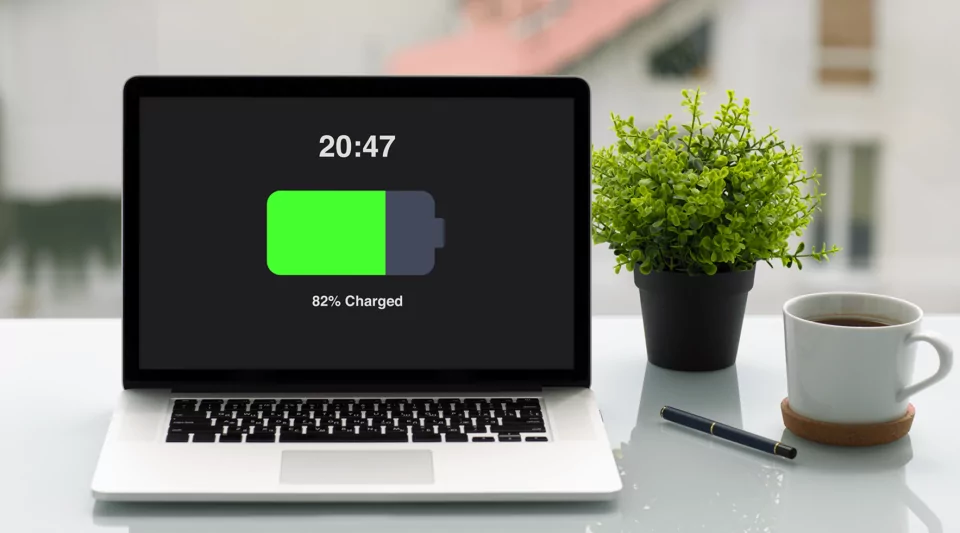
There’s a certain comfort in leaving your laptop plugged in 24/7. It feels efficient—you never run out of power, performance stays consistent, and you don’t have to think about battery levels. But modern lithium-ion batteries don’t work the way older batteries did, and this habit can quietly accelerate wear.
why this is a problem
Lithium-ion batteries are sensitive to something called “voltage stress.” When your battery sits at 100% for long periods, it experiences a higher voltage level, which gradually degrades its chemical structure. It’s not dramatic at first, but over time, it reduces overall capacity.
Think of it like holding a balloon fully inflated all day. It doesn’t pop immediately, but it weakens faster than if it were allowed to relax occasionally.
what actually works (fix)
- use partial charging cycles
Instead of keeping your laptop constantly at 100%, aim to keep it between 20% and 80%. This range is considered a “comfort zone” for lithium-ion batteries. - unplug once fully charged
If your workflow allows, unplug the charger once you hit around 80–90%. Let the battery drain naturally before plugging it back in. - enable battery limit settings
Many laptops now include built-in battery health features. These settings cap the maximum charge level (often at 60% or 80%) when the device is plugged in for long durations.
quick reality check
Try this for one week: unplug your laptop once it crosses 85% and plug it back in only when it drops below 30%. You may not see an immediate battery life increase, but you’ll notice slower degradation over time.
mistake 2: using the wrong charger or low-quality adapters
It’s easy to underestimate the importance of your charger. After all, if it fits and charges, it should be fine—right? Not quite.
why this is a problem
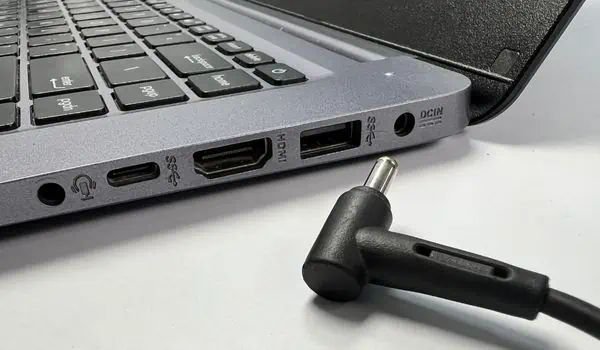
Not all chargers deliver stable power. Cheap or incompatible chargers can cause inconsistent voltage flow, overheating, and inefficient charging cycles. Even if your laptop appears to charge normally, internal stress can accumulate.
Using an underpowered charger is another issue. If your laptop requires 65W and you’re using a 30W charger, it may charge slowly while the system consumes power simultaneously, leading to heat buildup.
what actually works (fix)
- stick to manufacturer-recommended chargers
Always use the charger designed for your device or a certified equivalent with matching wattage and voltage. - check wattage compatibility
Look at your laptop’s power requirements and ensure your charger meets or exceeds that wattage. - avoid suspiciously cheap replacements
If a charger is significantly cheaper than others, there’s usually a reason. Internal components matter more than external appearance.
mini exercise
Take a moment to check your charger right now. Does it match your laptop’s required wattage? If not, you might already be affecting your battery health without realizing it.
mistake 3: charging in high-temperature environments
Heat is one of the biggest enemies of battery longevity, yet it’s often overlooked. Charging your laptop on a bed, in direct sunlight, or in a hot room can significantly impact battery performance.
why this is a problem
When a battery charges, it naturally generates heat. If the surrounding environment is already warm, the internal temperature rises even more. Prolonged exposure to high temperatures accelerates chemical degradation inside the battery.
In extreme cases, it can even lead to swelling or permanent damage.
what actually works (fix)
- keep your laptop cool while charging
Place your laptop on a hard, flat surface to allow proper airflow. Avoid soft surfaces like beds or cushions. - avoid direct sunlight
Even a short charging session under direct sunlight can raise internal temperatures more than you expect. - use cooling accessories if needed
If you often work in warm environments, consider using a cooling pad to help regulate temperature.
real-life scenario
Imagine charging your laptop while editing videos on your bed during a hot afternoon. The combination of heavy processing and poor airflow creates a perfect storm for overheating. Simply moving to a desk can make a noticeable difference.
mistake 4: letting your battery drop to 0% frequently
Some people still believe that fully draining a battery before recharging is a good practice. This idea comes from older battery technologies, but it doesn’t apply to modern laptops.
why this is a problem
Deep discharges (letting your battery drop to 0%) put stress on lithium-ion cells. While occasional full discharges aren’t harmful, doing this regularly shortens the battery’s lifespan.
what actually works (fix)
- recharge before hitting critical levels
Try to plug in your laptop when the battery reaches around 20–30%. - avoid frequent full discharges
Reserve full discharges for calibration purposes only, and even then, do it sparingly (once every couple of months). - maintain moderate cycles
Frequent shallow charges are better than fewer deep cycles.
thought prompt
Pay attention to your charging pattern for the next few days. Do you often wait until your battery is nearly dead? A small change here can have a big long-term impact.
bringing it all together
If you look at these four mistakes collectively, a pattern emerges: most battery damage doesn’t come from a single dramatic event but from repeated small habits.
Keeping your laptop plugged in constantly, using unreliable chargers, exposing it to heat, and allowing deep discharges—each of these chips away at battery health over time.
The fixes, however, are surprisingly manageable. They don’t require technical expertise or expensive tools. They just require awareness and a willingness to adjust routines.
practical daily routine example
Here’s a simple routine you can follow:
- start your day with a charge up to around 80–90%
- unplug and use your laptop normally
- plug it back in when it reaches 25–30%
- keep it on a hard surface during use and charging
- use only a reliable, properly rated charger
This approach strikes a balance between convenience and battery health.
a note on expectations
It’s important to be realistic. If your battery has already degraded significantly, these fixes won’t restore it to like-new condition overnight. However, they will slow further damage and improve efficiency.
In some cases, users notice better battery consistency within a week or two simply by avoiding extreme charging habits.
faqs
- is it okay to leave my laptop plugged in overnight?
Occasionally, yes. Modern laptops are designed to handle overnight charging. However, doing this every night without any charge limiting feature can contribute to long-term battery wear. - should i always charge my laptop to 100%?
Not necessarily. Charging to 100% occasionally is fine, but keeping it at that level for extended periods can increase battery stress. Staying within 20–80% is generally better for longevity. - how often should i fully discharge my battery?
Very rarely. A full discharge can be done once every couple of months for calibration, but it shouldn’t be part of your regular routine. - does fast charging damage laptop batteries?
Fast charging generates more heat, which can affect battery health over time. However, most modern laptops are designed to manage this safely. Using fast charging occasionally is fine, but constant use may slightly accelerate wear. - can using my laptop while charging harm the battery?
Not directly, but it can increase heat generation, especially during heavy tasks like gaming or video editing. Managing temperature is key in these situations. - how do i know if my battery is already damaged?
Signs include rapid battery drain, unexpected shutdowns, overheating, or a noticeable drop in maximum charge capacity. Many operating systems also provide battery health reports you can check.
closing reflection
Your laptop battery isn’t just a component—it’s a system that responds to how you use it. The difference between a battery that lasts two years and one that lasts five often comes down to small daily decisions.
You don’t need to overhaul your entire routine. Start with one fix. Maybe unplug your charger more often, or pay attention to heat. Then build from there.
Over time, these small changes compound into something bigger: a laptop that stays reliable when you need it most.






