

Meta Description: Laptop battery care charging myths are silently killing your battery life. Discover 6 busted myths every laptop user must stop believing today.
6 Myths About Laptop Battery Care Charging You Should Never Believe
We’ve all heard the advice. “Don’t charge your laptop overnight.” “Always drain the battery before plugging in.” “Keep it at 100% for maximum performance.”
But here’s the hard truth — most of what you’ve been told about taking care of your laptop’s battery is completely inaccurate.
These laptop battery care charging myths have been handed down from person to person, tech forum to tech forum, for so long that most people accept them as gospel. They’re not. And following bad battery advice is one of the quickest ways to shorten your laptop’s battery life without even realizing it.
In this article, we bust 6 battery charging myths using scientific proof, explain your battery in real terms, and give you accurate tips you can actually use.
Let’s get into it.
Why Your Laptop Battery Is Nothing Like the Old Ones
Before we shatter these myths, you must know one important fact.
Modern laptop batteries are not like batteries from 20 years ago.
Older laptops and devices used something called Nickel-Cadmium (NiCd) or Nickel-Metal Hydride (NiMH) batteries. These batteries had a phenomenon known as “memory effect” — they actually needed to be completely discharged before being recharged, or parts of their capacity would be “forgotten.”
Today’s laptops use Lithium-Ion (Li-ion) or Lithium-Polymer (Li-Po) batteries. These are completely different. They work differently. They age differently. And they need to be treated differently.
The problem? Much of the old advice was based on those old battery types. People kept repeating it. And now millions of laptop users are unknowingly following outdated rules that either do nothing — or actively damage their batteries.
How a Li-ion Battery Actually Works (Keep It Simple)
Think of your laptop battery like a tank of water.
Charging fills the tank. Using the laptop drains it. But with Li-ion batteries, the “tank” doesn’t like running on empty — and it also doesn’t like being overfilled for extended periods. It prefers to sit comfortably between about 20% and 80%.
Every complete charge cycle (0% to 100%) slowly wears the battery down. Most laptop batteries are technically rated for 300 to 500 full charge cycles before significant capacity loss. Some high-end batteries claim 1,000 cycles.
The goal? Minimize full cycles, and stay away from extreme temperatures and charge levels.
Now let’s explore the myths that stand in the way of that goal.
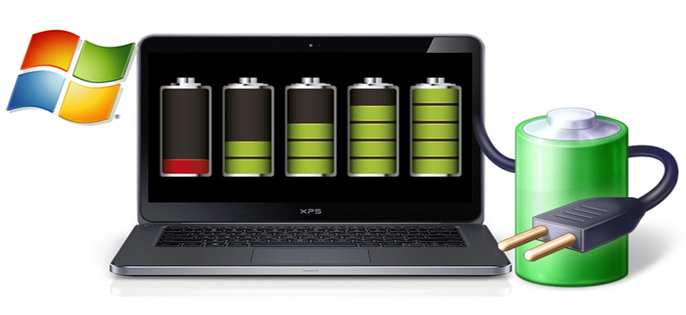
Myth #1 — “You Should Always Charge Your Laptop to 100%”
This is one of the most common laptop battery care charging myths out there.
Many people believe that reaching 100% is the “safe” zone — the place you always want your battery to be. In reality, keeping a Li-ion battery constantly at 100% charge creates something called high-voltage stress.
What Happens at Full Charge?
When a Li-ion battery sits at 100%, the cells inside are under constant electrical pressure. This accelerates a chemical aging process that irreversibly decreases the battery’s ability to hold a charge.
It’s not something you’ll notice after one day. But after weeks and months of always charging to full, your battery capacity starts to shrink faster than it should.
The sweet spot? Charge to around 80% if long-term battery health is your goal. That’s precisely why many modern laptops — including models from Apple, Dell, Lenovo, and Samsung — now feature built-in settings to limit charging to 80%.
| Charge Level | Impact on Battery Health |
|---|---|
| 100% (constantly) | High-voltage stress, accelerated aging |
| 80% | Ideal for daily use and longevity |
| 50% | Best for long-term storage |
| Below 20% | Increases chemical stress and wear |
| 0% (deep discharge) | Can permanently damage battery |
Myth #2 — “Leaving Your Laptop Plugged In All Day Will Destroy the Battery”
This is a myth that creates a lot of unnecessary anxiety.
People unplug their laptops at 100%, wait for the battery to drain to 20%, then plug back in — repeating this cycle over and over. They think they’re protecting the battery. They’re actually doing the opposite.
The Truth About Modern Charging Circuits
Your laptop already has a built-in charging controller. Once the battery reaches 100%, the controller stops sending charge to the battery and routes power directly from the wall to your laptop. The battery just rests, not charging.
So leaving your laptop plugged in does not keep the battery in a constant state of charging. It simply keeps it topped up.
That said, when the battery stays topped off for very long periods (days and weeks), that high-voltage state can still cause gradual aging. The solution isn’t to unplug obsessively. It’s to use your laptop’s built-in battery health tools, or to keep the charge manually between 40% and 80% during regular use.
Myth #3 — “Always Drain Your Battery to 0% Before Recharging”
This one comes directly from the old NiCd battery era — and it’s one of the most damaging laptop battery care charging myths still circulating today.
With Nickel-Cadmium batteries, full discharge was necessary to reset the “memory” and maintain capacity. That was real. That was true — for that technology.
Li-ion Batteries Hate Being at Zero
Draining a Li-ion battery to 0% causes something called a deep discharge. At extremely low charge levels, a destructive chemical reaction can take place inside the battery cells. Do this repeatedly, and you permanently reduce the battery’s maximum capacity.
In some cases, a battery that has been deeply discharged too many times may not even retain enough charge to boot the laptop.
What to do instead: Plug in when you reach around 20–25%. Never let the battery drain to zero unless absolutely necessary. And if you’re storing a laptop long-term, leave it at about 50% charge — not 0%.
Myth #4 — “Charging Overnight Overcharges and Ruins the Battery”
This is yet another myth born from the era of older electronics — when cheap chargers and basic circuits couldn’t properly regulate power.
Those days are gone.
Modern Laptops Have Smart Charging Systems
Every mainstream laptop made in the past 10 years features an intelligent Battery Management System (BMS). This system constantly monitors:
- Battery temperature
- Charge level
- Incoming voltage
Once the battery reaches 100%, the BMS automatically stops charging it. There’s no “overflow.” Power from your charger simply flows straight to your laptop’s components.
Charging overnight is not going to ruin your battery.
What can cause harm is charging in an extremely warm environment — like leaving your laptop in a bag while it charges, or placing it on a thick blanket that traps heat. Heat — not charge time — is the true enemy of Li-ion batteries.
The Real Overnight Charging Risk
The only legitimate concern with overnight charging is leaving it at 100% every night for months on end. As discussed in Myth #1, that sustained high-voltage state can contribute to gradual capacity decline. But this is a slow, long-term effect — not the instant damage this myth implies.
Myth #5 — “Heat Doesn’t Really Affect Battery Life That Much”
If any myth on this list deserves more attention, it’s this one.
Heat is the single biggest enemy of your laptop battery. Not charge cycles. Not overnight charging. Not leaving it plugged in. Heat.
What Heat Does to a Li-ion Battery
At high temperatures, the chemical reactions inside battery cells speed up dramatically. This accelerates degradation of the electrode materials, leading to:
- Faster capacity loss
- Swelling of the battery (in extreme cases)
- Fewer available charge cycles
- In the worst cases, thermal runaway — overheating that can damage the entire laptop
Even moderate heat — like a laptop left in direct sunlight or on a soft surface that blocks vents — can shave months off your battery’s lifespan over time.
According to Battery University, storing or operating a lithium battery at elevated temperatures is one of the leading causes of accelerated capacity loss — more so than charge cycles alone.
| Temperature Range | Impact on Battery |
|---|---|
| Below 0°C / 32°F | Temporary reduced performance |
| 16–22°C / 60–72°F | Ideal operating range |
| 25–35°C / 77–95°F | Mild, acceptable stress |
| 35–45°C / 95–113°F | Accelerated aging |
| Above 45°C / 113°F | Serious and permanent damage |
Simple Ways to Keep Your Laptop Cool
- Always use your laptop on a hard, flat surface
- Clean vents regularly — dust buildup traps heat inside
- Use a laptop cooling pad for heavy tasks like gaming or video editing
- Don’t leave your laptop in a hot car or in direct sunlight
- Avoid charging while the laptop is in a bag or sleeve

Myth #6 — “All Chargers Are the Same — Any Charger Will Do”
This last one is risky for more than just your battery.
Most people grab whatever USB-C or compatible charger is nearby without a second thought. It works, so it has to be fine — right?
Not exactly.
Voltage, Wattage, and Your Battery
Your laptop is designed to work with a charger that delivers a specific voltage and wattage. Using an underpowered charger means your laptop draws more current than the charger is designed to supply — this can cause the charger to overheat and deliver inconsistent power, which stresses the battery.
Using an overpowered third-party charger might charge faster, but can also push excess voltage through your laptop’s battery management system, especially with cheap, uncertified chargers that don’t communicate properly with your laptop’s BMS.
Counterfeit and off-brand chargers are particularly dangerous. They often lack the proper voltage regulation, temperature protection, and communication protocols that certified chargers include.
What You Should Do Instead
- Use the charger that originally came with your laptop whenever possible
- If you need a replacement, buy from the original manufacturer or a trusted certified brand
- Look for chargers with proper certifications (UL, CE, or MFi for Apple products)
- Avoid suspiciously cheap chargers from unknown brands — even if the connector fits
The Real Rules of Laptop Battery Care (What Actually Works)
With the myths put aside, here’s a straightforward, accurate guide to laptop battery care charging that genuinely protects your battery.
For a deeper dive into everything covered here and more, visit Laptop Battery Care — a dedicated resource for keeping your laptop battery in top shape.
1. Keep your charge between 20% and 80% This is the sweet spot for Li-ion battery health. Avoid the extremes.
2. Use your laptop’s built-in battery health tools Windows 11 has “Battery Saver” and battery health reports. macOS has “Optimized Battery Charging.” Many laptops from Lenovo (Vantage), Dell (Power Manager), and ASUS (MyASUS) have charge limiters built in — use them.
3. Keep your laptop cool Hard surface, clean vents, avoid direct sunlight. Simple and effective.
4. Store at 50% if you won’t use it for weeks Don’t store fully charged or nearly dead.
5. Use the correct charger Stick to OEM or certified third-party options.
6. Don’t stress about every percentage Battery care is about long-term habits, not fretting over each charge cycle.
Laptop Battery Health Settings by Brand
| Brand | Tool Name | Max Charge Limit Option |
|---|---|---|
| Apple (macOS) | Battery Settings | Optimized Charging (auto) |
| Lenovo | Lenovo Vantage | Yes — 60%, 80%, or 100% |
| Dell | Dell Power Manager | Yes — customizable |
| ASUS | MyASUS | Yes — 60% or 80% |
| HP | HP Battery Health Manager | Yes — maximized battery life mode |
| Samsung | Samsung Settings (Galaxy Book) | Yes — battery protection mode |
FAQs About Laptop Battery Care Charging Myths
Q: Am I damaging my laptop by using it while it’s charging? No, it’s completely fine. Modern laptops are designed to run on AC power while simultaneously charging the battery. It does not damage the battery.
Q: Should I remove the battery when using my laptop plugged in all the time? Some people suggested this on older laptops with removable batteries to avoid heat. But with modern laptops that have built-in batteries, there’s no such option — and it’s not necessary anyway, thanks to today’s charging management systems.
Q: How can I tell if my battery is degrading? On Windows, run powercfg /batteryreport in Command Prompt to get a detailed battery health report. On Mac, hold Option and click the battery icon to see “Battery Condition,” or check System Information > Power for cycle count and full charge capacity.
Q: Is fast charging bad for a laptop battery? It produces slightly more heat than standard charging, so frequent fast charging can have a minor long-term effect. But for casual use, it’s not a major concern. Keeping the laptop cool during fast charging helps reduce this impact.
Q: How long should a laptop battery last? With proper care, most laptop batteries can maintain decent capacity for 3–5 years or 300 to 1,000 charge cycles, depending on battery quality and usage habits.
Q: Can I revive a dead laptop battery? A battery at 0% that still powers on can be recharged normally. One that’s been at 0% for weeks or months may have sustained deep discharge damage and may never fully recover. In that case, replacement is generally the best move.
Q: Does cold weather damage laptop batteries? Extreme cold temporarily reduces battery performance — you’ll notice faster drain. However, unlike heat, it doesn’t cause permanent damage to Li-ion batteries. Simply allow the laptop to warm to room temperature before heavy use in cold environments.
Wrapping It Up
Laptop battery care charging myths are not just harmless misunderstandings. Following the wrong advice can quietly drain your battery’s capacity month after month until you’re left with a laptop that struggles to last even an hour off the charger.
Here are the key takeaways from this article:
- Your modern Li-ion battery bears no relation to the NiCd batteries these myths were based around
- Keeping your charge between 20% and 80% is the single best habit you can build
- Heat kills batteries faster than anything else
- Charging overnight is fine — just don’t store at 100% all the time
- Never drain to zero on purpose
- Always use a quality, certified charger
The good news? None of this is complicated. Once you know the real rules, protecting your laptop’s battery is simple. Ditch the myths, follow the science, and your battery will reward you with years of healthy, reliable performance.
Focus Keyword: Laptop Battery Care Charging Myths






